How to Listen to Stories on BrightChapters: Using Audio Narration on Any Device
If you've ever wanted to keep reading a story on BrightChapters while your hands (or eyes) are busy elsewhere, you're in luck: every published story on the site comes with built-in audio narration, completely free, no coins required. Here's how to find it and get the most out of it, on your phone, tablet, or laptop.
Where to find the audio player
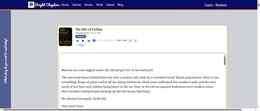
Every story page has a narration player sitting right under the title and genre tag. Open any story from the Stories page, and you'll see it above the chapter text: play/pause, rewind, forward, a progress slider showing elapsed and total time, and a speed control.

You don't need to unlock anything or spend coins to use it — narration is included with every story we publish, from quick reads to full-length originals.
Playing a story with one tap from the browse page
Short on time and just want to hit play? You don't even have to open the full story. From the Stories browse page, each card has its own compact audio player right on the card itself, so you can start listening straight from the feed and tap "Open" only when you want to read along.
Adjusting playback speed
Everyone listens differently. Use the speed dropdown next to the player controls to pick the pace that works for you:
0.75x for a slower, more deliberate read — great if English isn't your first language or you just want to savor the prose. 1x for the narrator's natural pace. 1.25x and 1.5x to move a little faster without losing clarity. 2x if you're power-listening through a backlog of chapters on a commute.
Your speed choice applies instantly, so feel free to experiment until a chapter feels right.
Listening on your phone
The player works the same way on mobile browsers as it does on desktop — no app download required. Open BrightChapters in your phone's browser, pick a story, and tap play. It's a convenient way to get through a chapter while you're commuting, doing chores, or just resting your eyes.
Finding something to listen to
There are a few ways to get to your next listen. From the homepage, head into the Stories or Books section from the top menu, or scroll down to the Featured Stories and Featured Books picks for a quick start. Want the full library right away? Go directly to Stories for an endless feed of short reads, or Books for the complete catalog of full-length originals.
Already know what mood you're in? The genre pills on the homepage — Thriller, Relationships, Fantasy, Horror, and Non-Fiction — take you straight to that genre's page, where matching books and stories are listed together. Every single one comes with the same free narration, so there's no guessing which stories are "audio-enabled" and which aren't — they all are.
And if you've got a story of your own in you, narration is one more reason to write and publish on BrightChapters: readers can listen to your words as easily as they can read them.
Everything above is free to read on BrightChapters.
No account is needed to start reading, and if you write too, publishing here is free as well.
Browse Stories Start Writing